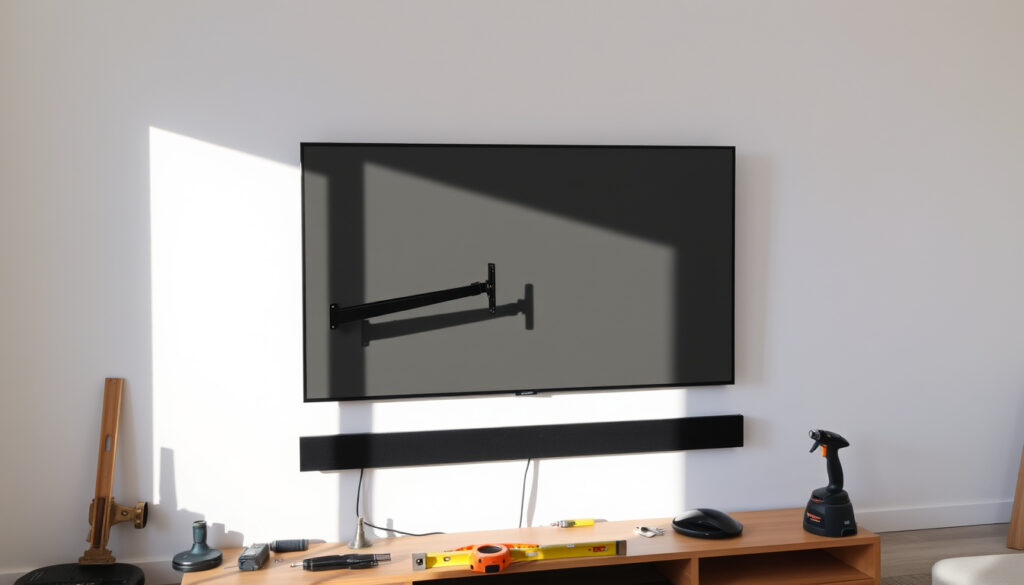
TV Wall Bracket Guide: Compatibility, Installation & Tips
Mounting a TV is one of the most satisfying home upgrades, but a single measurement error can turn a clean look into a headache. This guide walks through exactly what to check before drilling, which bracket type fits your room, and how to avoid the mistakes that send people back to the hardware store.
Standard VESA patterns: 100×100, 200×200, 300×300, 400×400 mm ·
Typical weight capacity of a fixed bracket: 50 kg (110 lbs) ·
Most common TV size mounted: 55 inches ·
Bracket types available: Fixed, tilt, full-motion/swivel
Quick snapshot
- TV wall brackets follow VESA mounting standards (Consumer Reports (consumer testing authority))
- Most brackets list maximum weight and screen size (The Home Depot (retail product specification))
- Mounting on drywall alone is unsafe without studs (TechPickStream (installation guide))
- Fixed brackets are cheapest and flattest (VESA Adapter (standard reference))
- Which exact bracket is ‘best’ depends on TV weight and room layout (TechPickStream (mounting guide))
- Whether a tilt bracket improves viewing angle significantly varies by installation height (This Old House (home improvement authority))
- VESA standards remain stable across 2024–2025; no new revision expected (VESA (standard-setting body))
- Brackets with tool-less release and cable management are becoming standard (Rtings (TV mount testing lab))
Buyers who skip verifying their TV’s VESA pattern and weight end up with a return trip to the store — and sometimes a damaged wall. The fix takes two minutes with a tape measure and the manual.
Does a TV wall bracket fit any TV?
Can any TV be wall mounted?
- Almost all modern flat-panel TVs have four threaded mounting holes arranged in a standardized VESA pattern, according to Consumer Reports (consumer testing authority). This means most TVs can be mounted — but not with a one-size-fits-all bracket.
- Curved TVs and older plasma models may have non-standard hole spacing. Samsung’s support guidance shows that a 43- to 55-inch TV uses a 200 x 200 VESA bracket as a common starting point (Samsung (manufacturer support)).
How to tell if a wall mount will fit your TV?
- Check the VESA pattern: measure the distance between the center points of the mounting holes horizontally and vertically in millimeters, as Mount TV (mounting specialist) explains.
- Cross-reference both the bracket’s listed VESA range and its weight rating. The Home Depot’s product specification sheet shows a typical mount accepting 100/200/300/400 mm patterns and up to 80 lbs.
- Mount-IT specialists note the screws must thread smoothly by hand — never force them into the VESA holes, as too long a screw can damage internal TV components (Mount-It (mounting hardware manufacturer)).
What size TV wall bracket do I need?
- Bracket sizing is defined by the VESA pattern, not screen size. A 55-inch TV often uses 200 x 200 mm, a 65-inch unit uses 400 x 300 mm, and a 75-inch unit uses 400 x 400 mm according to Samsung’s technical data (Samsung (manufacturer support)).
- For an 85-inch TV, Samsung specifies a 600 x 400 mm VESA pattern, meaning larger brackets with higher weight capacities are needed.
Mount TV (mounting specialist) recommends checking the user manual’s installation section or the manufacturer website for the exact VESA pattern — the retail listing may contain rounding errors. Trust the spec sheet, not the shelf label.
Is it a good idea to wall mount a TV?
What are the disadvantages of wall mounted TV?
- Limited adjustability: Fixed brackets lock the TV in one position. If you need to change the viewing angle later, you’re drilling again.
- Potential wall damage: Improper mounting can tear drywall anchors or strip studs. TechPickStream (installation guide) warns that mounting on drywall alone is unsafe — studs are non-negotiable.
- Port access: Once mounted, connecting HDMI cables or USB drives becomes a workout unless the bracket has a tilt or swing feature.
Is it better for TV to be too high or too low?
- The ideal viewing height sets the center of the screen at eye level when seated. Mounting too high forces an upward gaze that strains neck muscles over time.
- Consumer Reports (consumer testing authority) advises that if you must mount above a fireplace, tilt brackets help reduce the angle but don’t fully solve neck strain.
| Bracket Type | Flexibility | Cost Range | Best For |
|---|---|---|---|
| Fixed | None — TV sits flush against wall | $15–$40 | Dedicated seating; lowest profile |
| Tilt | Vertical angle adjustment (5–15°) | $25–$70 | Above-fireplace placements; glare reduction |
| Full-motion | Swivel, tilt, extend up to 20–30 inches | $50–$200 | Corner rooms; multiple viewing areas |
The pattern: Fixed brackets win on price and slimness. Tilt brackets solve one specific problem — glare — but don’t turn a bad height into a good one. Full-motion brackets cost triple and often extend farther than most living rooms need.
For a typical living room with a sofa five feet from the wall, a fixed or tilt bracket placed at eye level (42–48 inches from floor to screen center) beats any full-motion bracket that encourages mounting too high.
What is the best wall bracket for a TV?
What is the easiest TV wall mount to install?
- Fixed brackets are mechanically simplest: two rails attach to the TV, one plate to the wall. No moving parts, no locking arms.
- Several fixed mounts now include a hook-and-slide design that lets one person lift the TV onto the bracket without a second pair of hands. Rtings (TV mount testing lab) rates these as the best option for solo installers.
- For first-timers, Mount-It (mounting hardware manufacturer) recommends temporarily attaching the brackets to the TV before installing the wall plate — this confirms fit without holding a 50-pound TV at arm’s length.
| Bracket Type | Ease of Install (1–5) | Tools Required | Solo Install Feasible | Warranty (Typical) |
|---|---|---|---|---|
| Fixed | 5 (simplest) | Drill, stud finder, level, socket | Yes | 5–10 years |
| Tilt | 4 | Drill, stud finder, level, socket | Yes | 5–10 years |
| Full-motion | 2 (heavier, more hardware) | Drill, stud finder, level, socket, helper | No | 5–10 years |
The implication: An “easy install” claim on the box doesn’t mean you can skip the stud finder. All three types demand the same foundation work — finding two solid studs — so the difference is in how many bolts and arms you wrangle while holding a TV.
A first-time installer tackling a 75-inch TV solo with a full-motion bracket faces a 60-pound lift while aligning four arms. The same TV on a fixed bracket with a hook-and-slide design takes 10 minutes and two hands.
What are the common TV mounting mistakes?
How to avoid TV mounting mistakes
- Skipping the stud finder: Drywall anchors alone cannot support a TV’s weight. TechPickStream (installation guide) emphasizes locating wood studs or steel framing as step one.
- Incorrect height: Mounting too high is the most common regret. The center of the screen should be at seated eye level — roughly 42 inches from the floor.
- Forgetting cable management: Wires dangling below the TV ruin the clean look. In-wall power kits (where local code permits) or raceway covers solve this.
- Over-tightening bolts: The VESA screws should seat firmly by hand with a driver. Mount-It (mounting hardware manufacturer) warns that over-torquing strips the threads or cracks the TV’s rear housing.
- Trusting a retail listing: TechPickStream (installation guide) notes that many online specs round VESA numbers — always verify against the manufacturer’s spec sheet.
Step-by-step installation guide
- Verify VESA and weight: Measure the hole spacing on the TV back with a metal ruler. Confirm the bracket can support the TV’s weight — 50 kg or 110 lbs is typical for a fixed bracket.
- Locate studs: Use a quality stud finder. Mark at least two stud positions for TVs up to 65 inches; three for 75 inches or larger (TechPickStream (installation guide)).
- Attach brackets to TV: Consumer Reports (consumer testing authority) recommends fitting the brackets to the TV first to confirm the screws seat correctly without forcing.
- Position the wall plate: Hold the wall plate at your marked height. Level it. Mark the drilling points through the plate’s slots.
- Drill pilot holes and bolt: Use a masonry bit for brick or concrete; a wood bit for studs. Bolt the plate securely with lag screws provided with the bracket.
- Hang the TV: Lift the TV onto the wall plate. Most fixed brackets use a hook-and-slide mechanism — lower it slowly until it clicks or locks.
- Final check: Gently pull on the TV to confirm it’s seated. Mount-It (mounting hardware manufacturer) recommends a firm shake test (without excessive force) to check security.
What are the disadvantages of wall mounted TV?
Is it better for TV to be too high or too low?
- Too high introduces neck strain that compounds over a movie’s runtime. Too low risks the TV being blocked by furniture or causing neck strain from looking down.
- The trade-off between high and low is clear: Consumer Reports (consumer testing authority) states that if you must compromise, slightly too low is preferable because the human neck tolerates downward gaze better than upward tilt.
Upsides
- Frees floor space — no TV stand needed
- Reduces glare from windows when using tilt bracket
- Child-safe: no tip-over risk from a stand
- Cleaner room design and cable hiding
Downsides
- Port access requires the TV to be lifted or tilted
- Harder to reposition or upgrade TV later
- Wall damage if studs not found or bracket fails
- Professional installation costs $150–$300 for heavy TVs
Using a stud finder and leveling the bracket before tightening all screws prevents the TV from tilting off-center — a mistake that’s easy to make but hard to un-make once the screws are snug.
The VESA pattern is the single most important measurement to check. Without matching it, no amount of drilling will make the bracket fit.
The implication: Wall-mounting is a permanent trade-off. You gain floor space and a clean look. You lose easy port access and the ability to pivot the TV without a full-motion bracket that costs triple. For most living rooms, a fixed bracket at eye level paired with a raceway cable cover delivers 90% of the benefit at a fraction of the cost.
techpickstream.com, techpickstream.com, vesamounts.com, yelp.com, czechbrief.org
If you’re unsure about VESA compatibility, the TV wall bracket guide breaks down the key specifications.
Frequently asked questions
How much weight can a TV wall bracket hold?
Most fixed brackets support up to 50 kg (110 lbs), while full-motion brackets typically range from 35–50 kg. Always check the bracket’s label against your TV’s weight.
Do I need a stud finder to mount a TV?
Yes. Mounting into drywall alone with anchors is unsafe for TVs over 10 kg. Use a stud finder to locate wood studs or steel framing at least two feet apart.
Can I mount a TV on drywall alone?
No. Drywall anchors can tear out under a TV’s weight. The bracket must be bolted into studs or solid concrete/brick using appropriate masonry anchors.
What tools are required to install a TV wall bracket?
You need a drill with drill bits, a stud finder, a bubble level, a socket or screwdriver for the bracket bolts, and a metal ruler for measuring VESA pattern.
What is the ideal height for a wall-mounted TV?
The center of the screen should be at seated eye level — approximately 42 inches from the floor. For a 55-inch TV, the bottom edge will be roughly 24–28 inches above the floor.
Can a TV wall bracket be used for a computer monitor?
Yes, if the monitor has a VESA pattern (usually 75×75 or 100×100 mm) and the bracket’s weight capacity exceeds the monitor’s weight.
How do I remove a TV from a wall bracket?
Most fixed brackets have a release strap or lock. Pull it while lifting the TV slightly. For tilt or full-motion brackets, follow the manufacturer’s release instructions — they differ by model.
Are full-motion brackets worth the extra cost?
They are worth it if your seating is off-angle from the TV wall or if you need to pull the TV away for port access. For a direct-facing sofa, a tilt bracket gives almost the same flexibility at half the price.
More related posts
 Kinsey Schofield: Reality TV to Royal Commentary
 Martin Kemp: Illness, Wife, Net Worth & Career Facts
 David Carradine: Death, Martial Arts, and His Legacy Explained
 Nancy Cartwright: Net Worth, Voices, Religion & More
 Short Hair Styles for Women – Best 2025 Cuts by Face Shape
 JFK Jr. Plane Crash: Cause, NTSB Report, and Facts
 Dave Grohl: Biography, Net Worth, Family, and Key Life Events
 Prince Andrew Royal Lodge – Stays Amid King Charles Pressure
